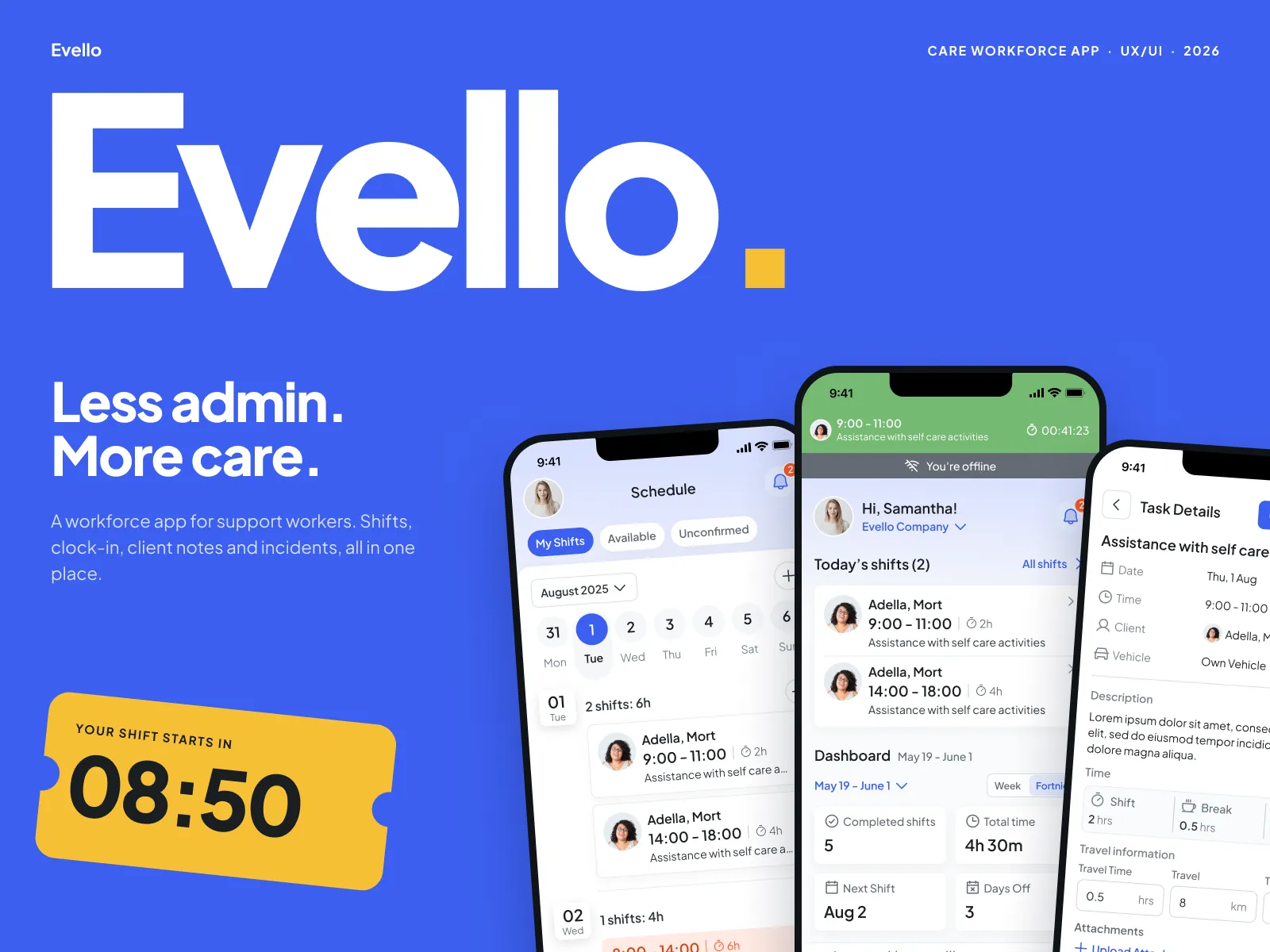
Evello: Less admin. More care.
By Majid Ali, founder of Bytecrest · Published 22 October 2026 · Updated 22 October 2026
Evello is a workforce app for support workers in home care. Shifts, clock-in, client notes, incidents and compliance used to live on paper and in group chats. We designed one app to hold all of it, built to replace the paper timesheet and the group chats.
- Product
- Evello
- Scope
- UX, UI, design system
- Platform
- iOS & Android
- Year
- 2026
1
tap to clock in
9
modules
144
screens
3
tabs for shifts, open and unconfirmed
What shipped and what it does
Designed for one-tap clock-in
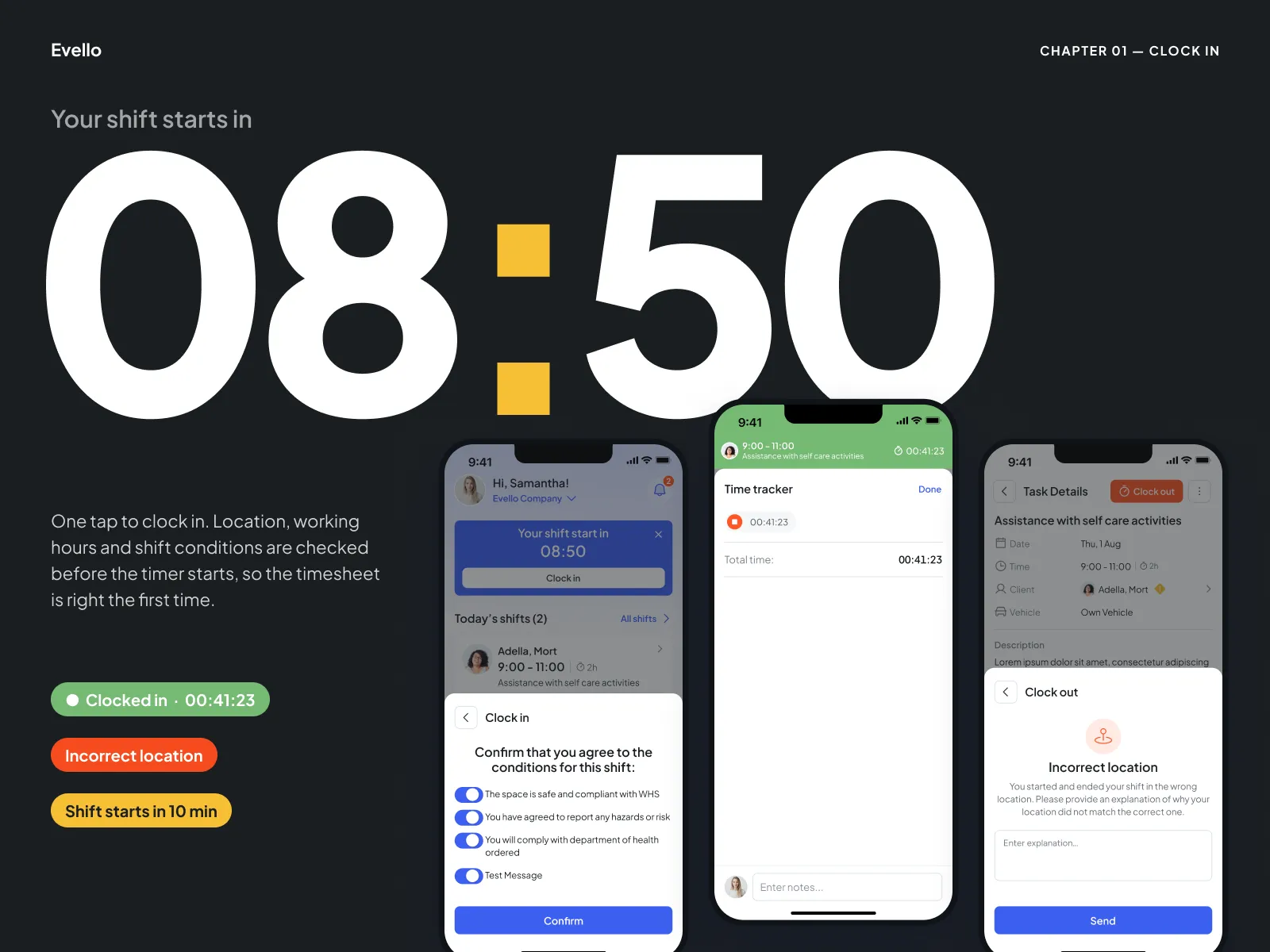
The clock-in flow checks location, hours and shift conditions before the timer starts, and explains any problem in plain words.
A full set of screens for build
144 screens across 9 modules for iOS and Android, with a design system and developer handoff.
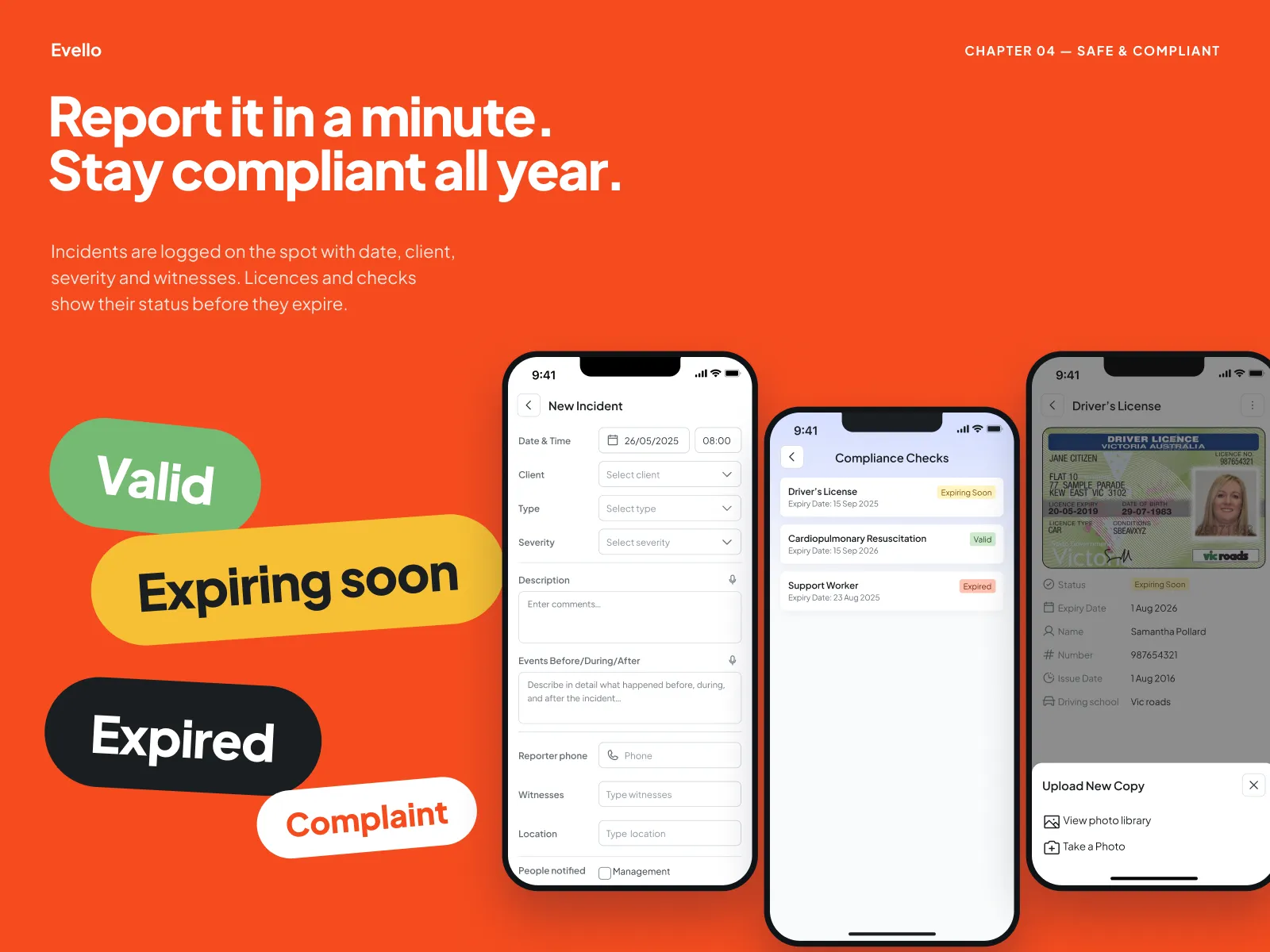
Compliance in view
The designs show licences and checks as valid, expiring soon or expired before they lapse.
This lists what we delivered. It is not a set of usage figures.
where it started
The problem
Support workers spend their day in clients’ homes, not at a desk. Every minute spent on timesheets, rotas and incident forms is a minute not spent on care.
The agency needed proof that each shift happened where and when it should, without turning the app into a surveillance tool the workers resent.
Chapter 01 · Clock in
Clock in with one tap and automatic checks
Location, working hours and shift conditions are checked before the timer starts, so the timesheet starts out right. If something is off, like the wrong address, the app says so in plain words and lets the worker explain.
Chapter 02 · The week
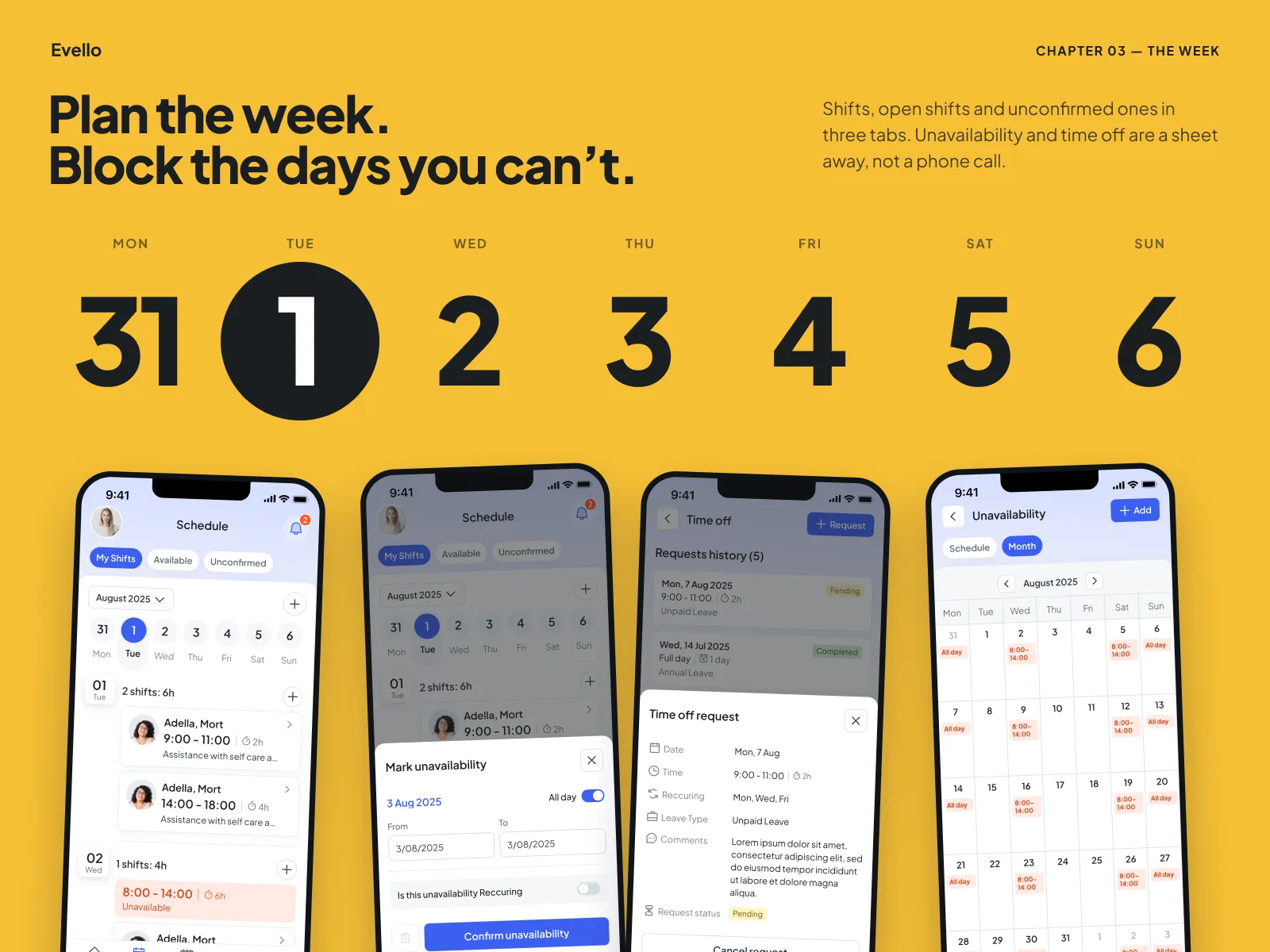
The week: plan shifts and block days off
Shifts, open shifts and unconfirmed ones sit in three tabs. Unavailability and time off are a sheet away, not a phone call to the office.
Chapter 03 · Safe & compliant
Incident reports and compliance tracking
Incidents are logged on the spot with date, client, severity and witnesses. Licences and checks show their status before they expire: valid, expiring soon or expired.
Design system
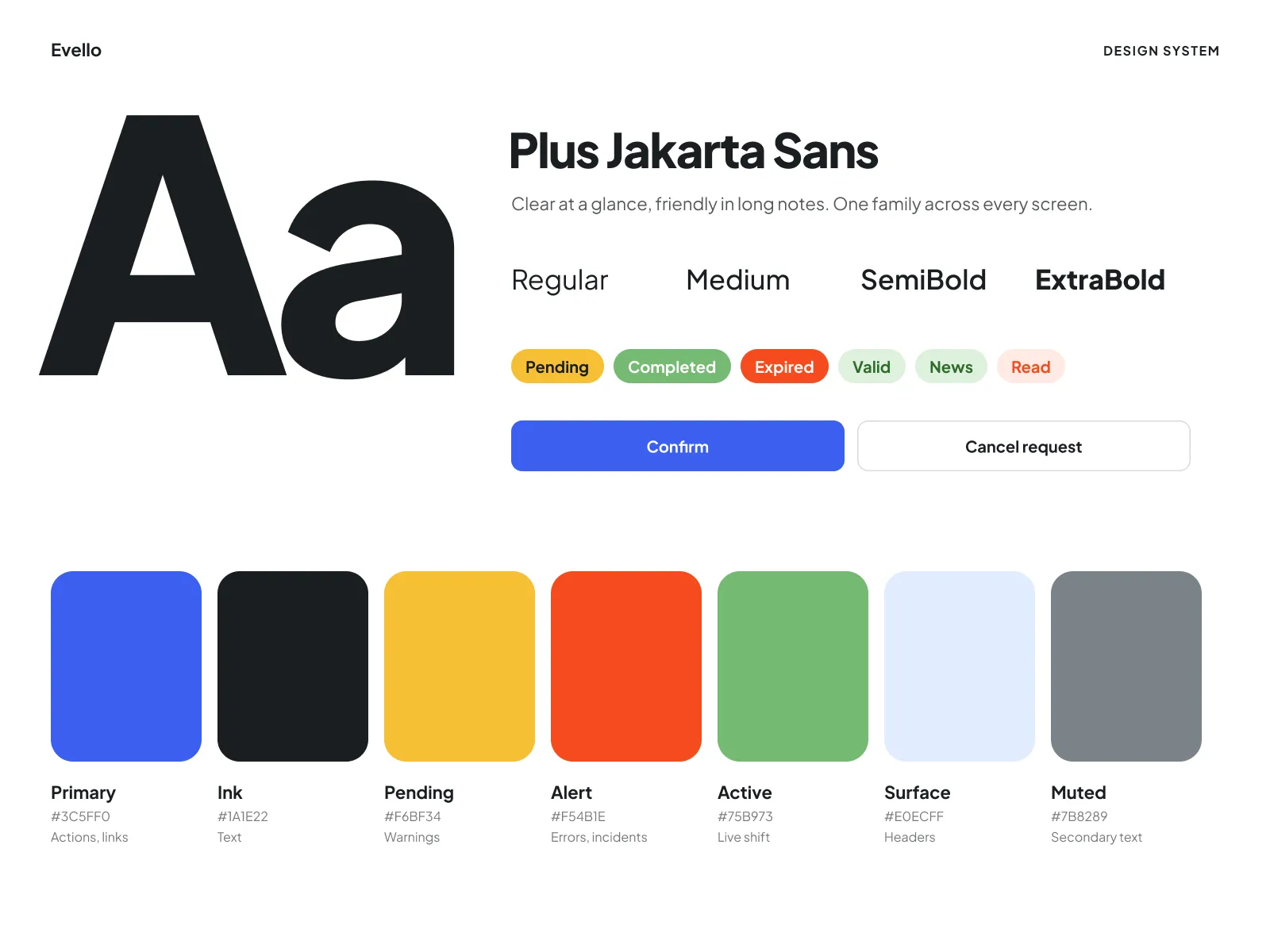
Design system: clear at a glance
Plus Jakarta Sans, a bold status palette (pending, completed, expired, valid) and big touch targets for gloved or hurried hands.
what we handed over
Delivered
- A map of a support worker’s day, shift to shift
- Information architecture across 9 modules
- 144 screens for iOS and Android
- Clock-in with location and conditions checks
- Incident reporting and compliance tracking
- Design system and developer handoff