CocoCoin: Warned in time.
By Majid Ali, founder of Bytecrest · Published 22 October 2026 · Updated 22 October 2026
CocoCoin is a budget app that warns you before you pass a limit, not after. Then it moves what’s left over to your goals. We took it from three user interviews to 30 high-fidelity screens across iPhone, mobile web and desktop.
- Product
- CocoCoin
- Scope
- Research to hi-fi
- Platforms
- iOS, mobile web, desktop
- Year
- 2026
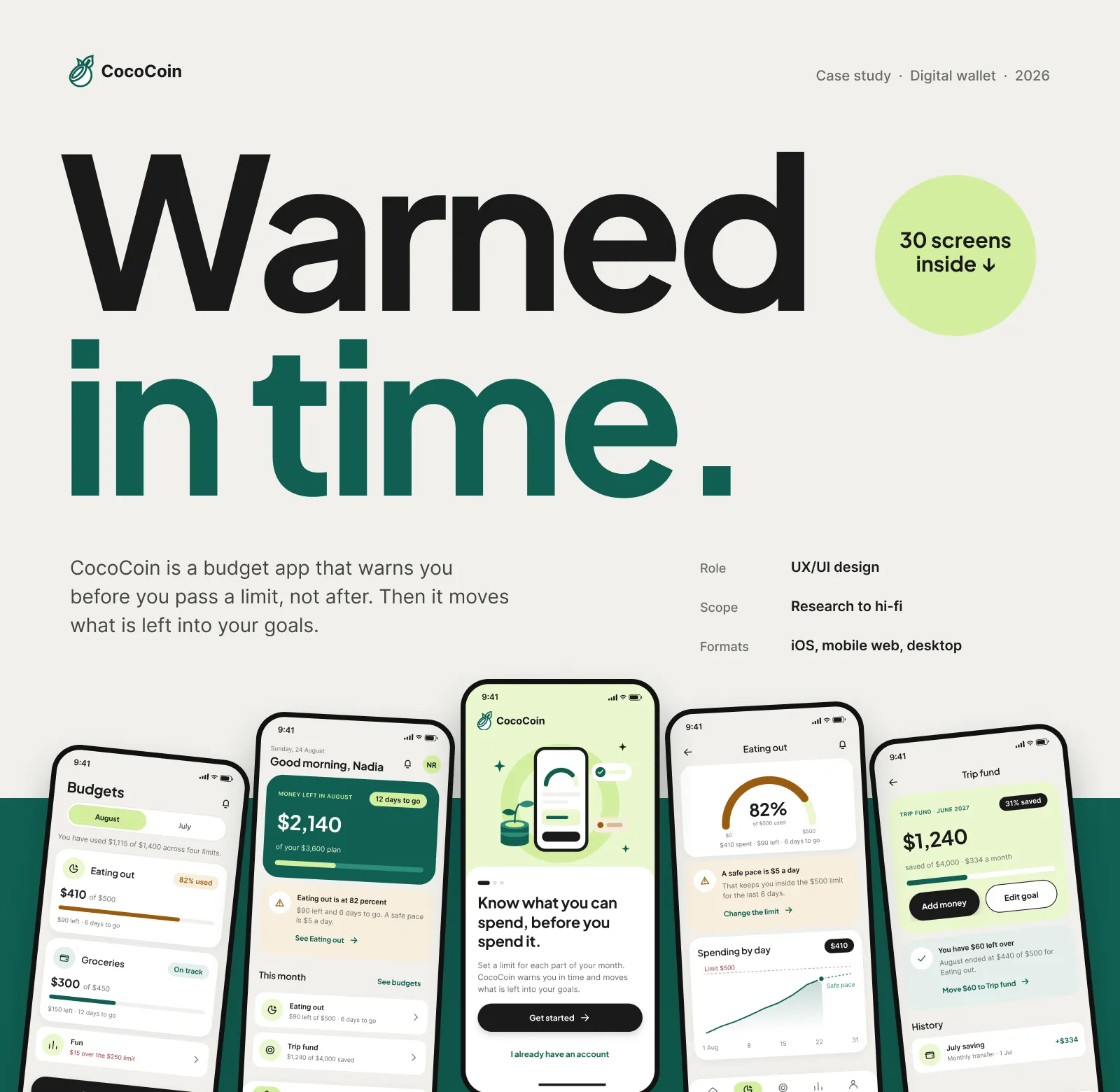
30
screens
45
components
80%
warning threshold
3
platforms
What shipped and what it does
Research behind the idea
Three user interviews and a review of Copilot Money, YNAB and Rocket Money shaped a warning-first concept.
A warning that arrives in time
The design warns at an 80 percent threshold, shows the alert before asking for permission, and moves what is left to your goals.
Ready for build
30 screens and a 45-component design system across three platforms.
This lists what we delivered. It is not a set of usage figures.
where it started
The problem
Most budget apps tell you that you overspent after it has happened. In three interviews, every person described the same moment: finding out at the end of the month, when nothing can be done.
We reviewed Copilot Money, YNAB and Rocket Money. All three are strong at categories and charts. None of them speak up early enough to change what you do this week.
The full journey · iOS
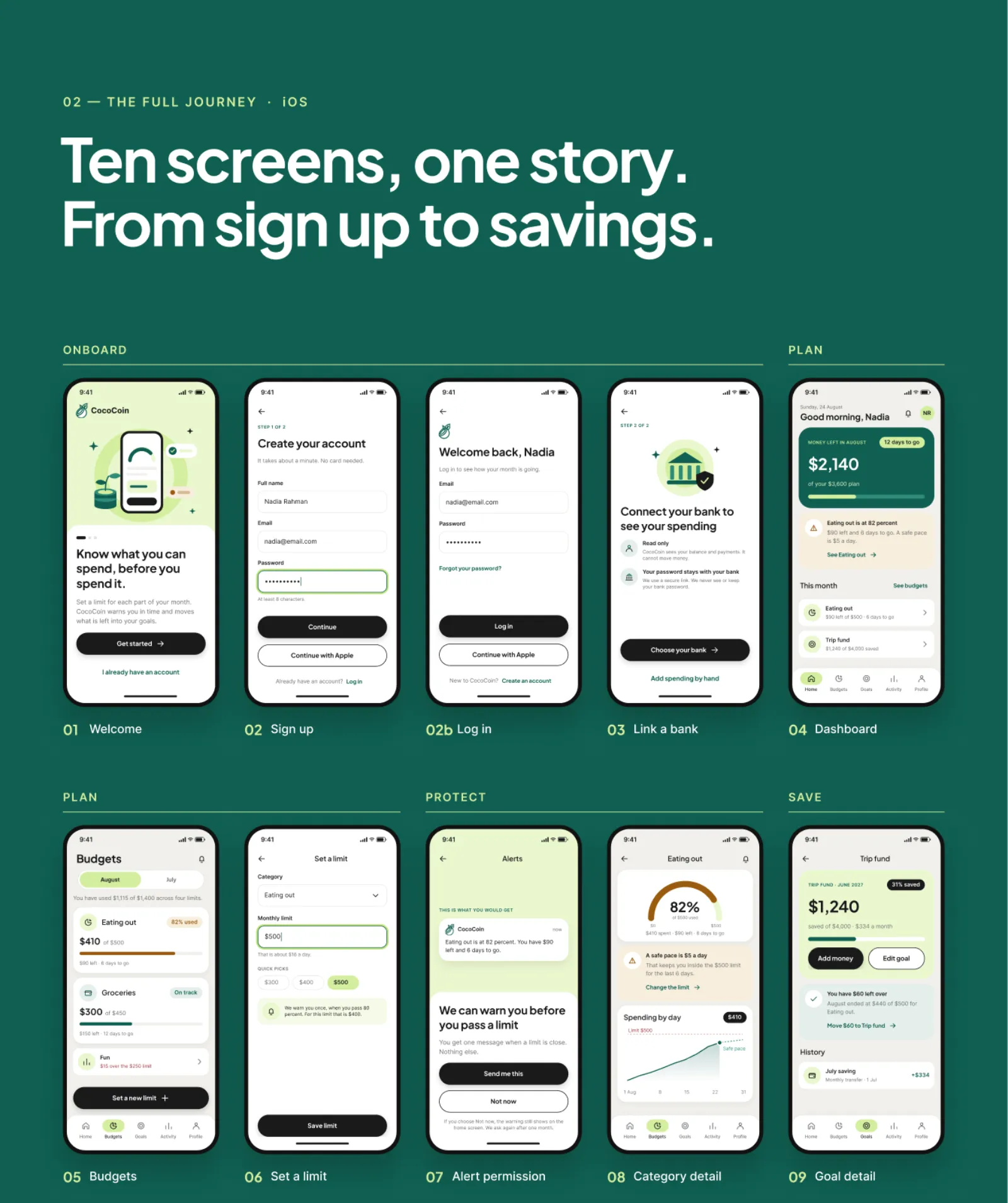
Ten iOS screens from sign-up to savings
Onboarding, a read-only bank link, budgets, alerts and goals tell one story in ten screens. Each one answers a single question, so a new user is set up in minutes.
The key moment
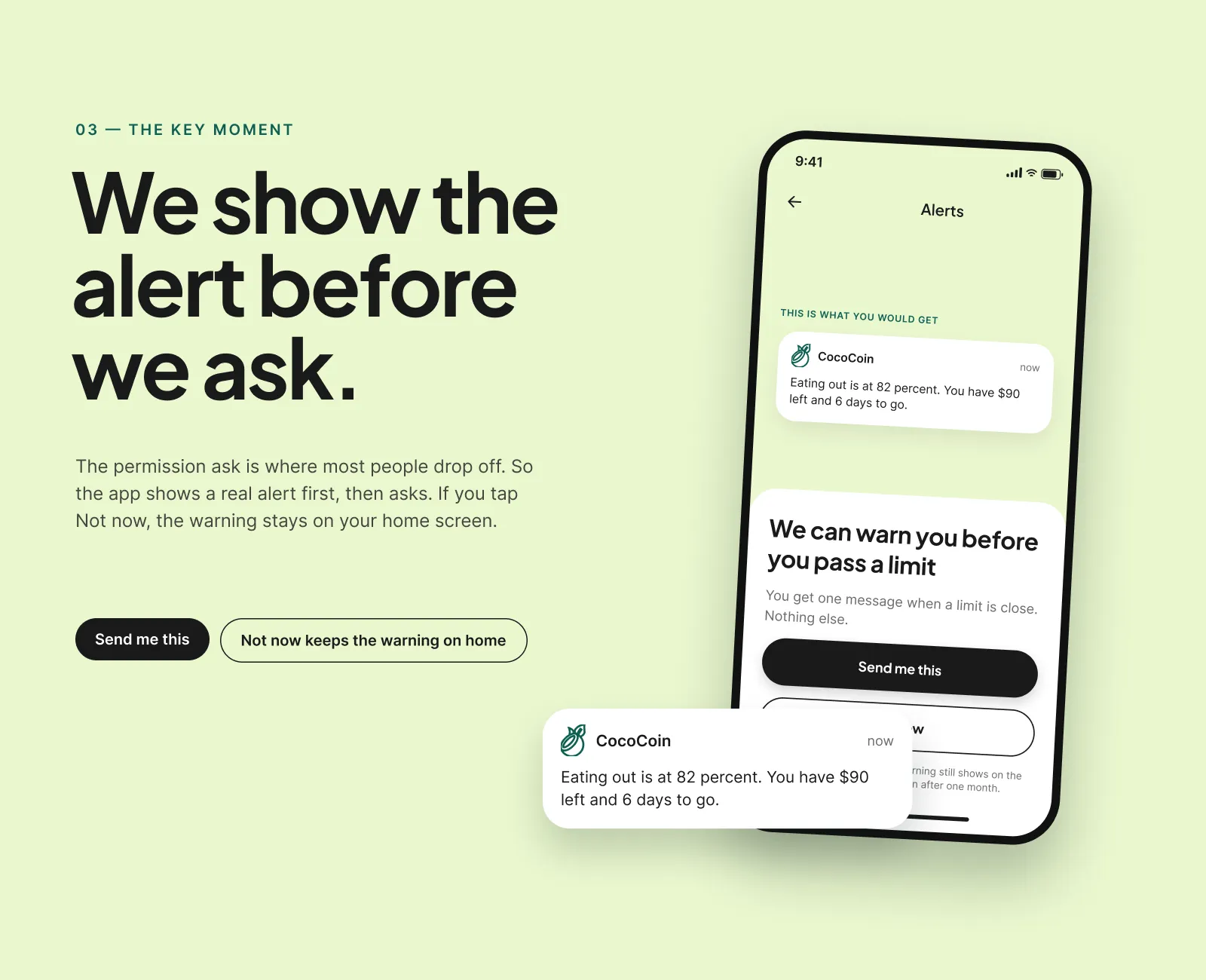
Show the alert before asking for permission
The permission request is where most people drop off. So the app shows a real alert first, “Eating out is at 82 percent. You have $90 left and 6 days to go”, then asks to send it. If you say not now, the warning stays on your home screen.
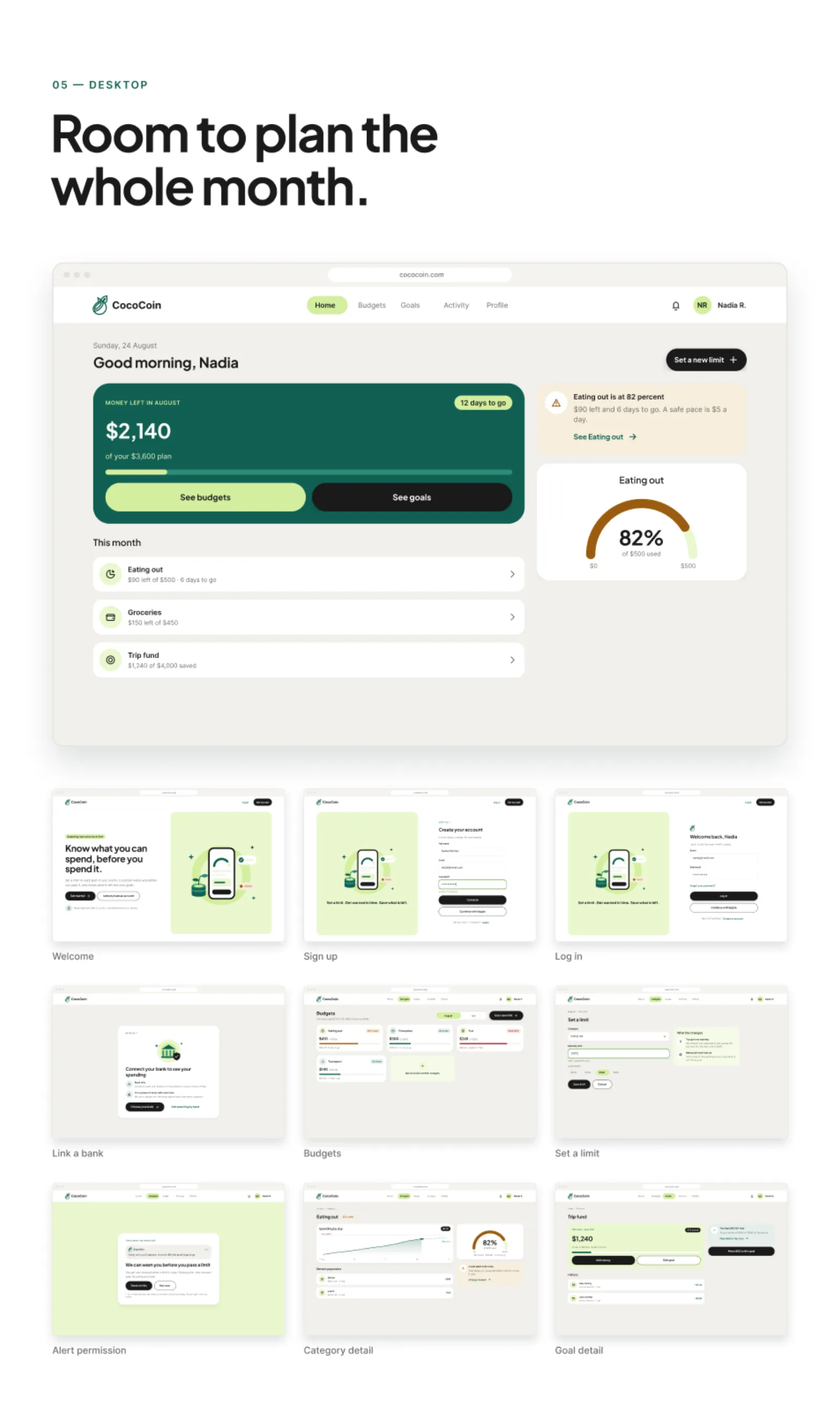
Desktop
Desktop: room to plan the whole month
On a big screen the same budgets spread out into a month view, so you can move money between categories and goals in one place.
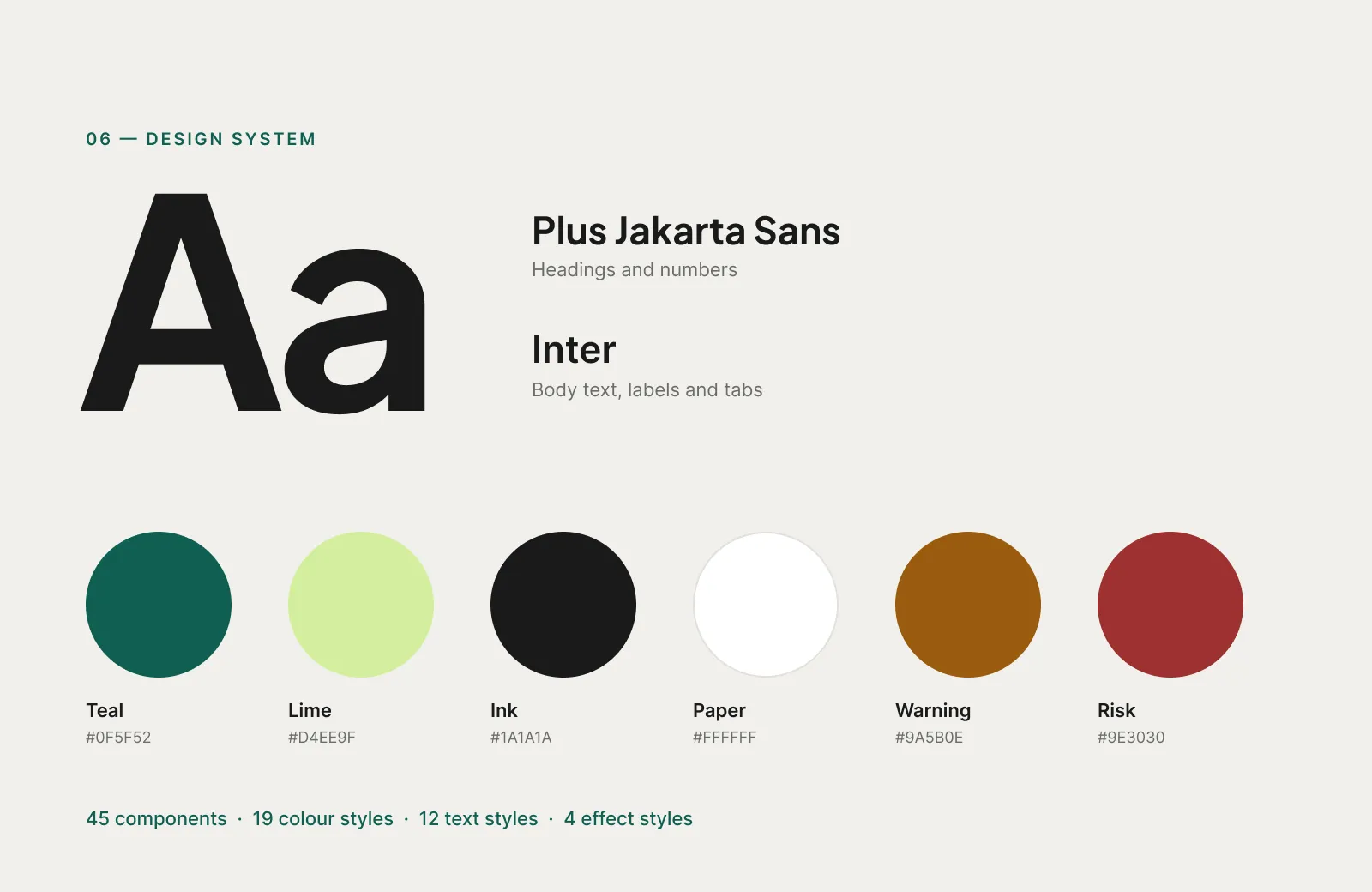
Design system
Design system: quiet colours until something needs you
Teal and lime for calm, a warm amber for warning and a red kept for real risk. Plus Jakarta Sans for numbers, Inter for everything else. 45 components, 19 colour styles, 12 text styles.
what we handed over
Delivered
- Three user interviews and a competitor review
- Problem framing and the warning-first concept
- iOS journey: 10 core screens
- Mobile web and desktop layouts
- Design system: 45 components, 19 colour, 12 text and 4 effect styles
- 30 hi-fi screens ready for build